
From VIN scan
to finished photos.
A guided photo sequence your team can repeat for every vehicle on the lot.
The Photo App workflow.
-
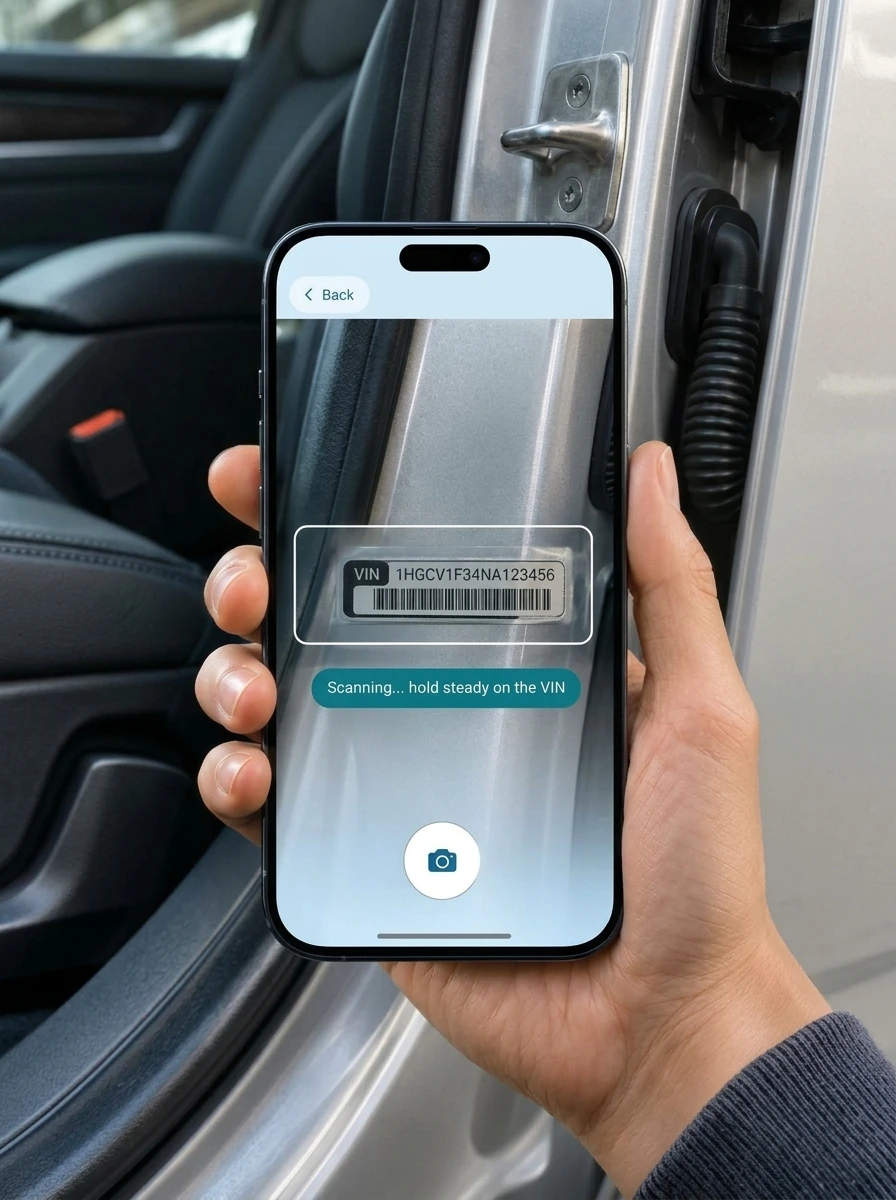
Scan the VIN.
Point the app at the VIN on the door jamb to start a photo set for that vehicle.
-
Select a theme.
Choose the showroom or studio background you want for the finished photos.
Explore showroom themes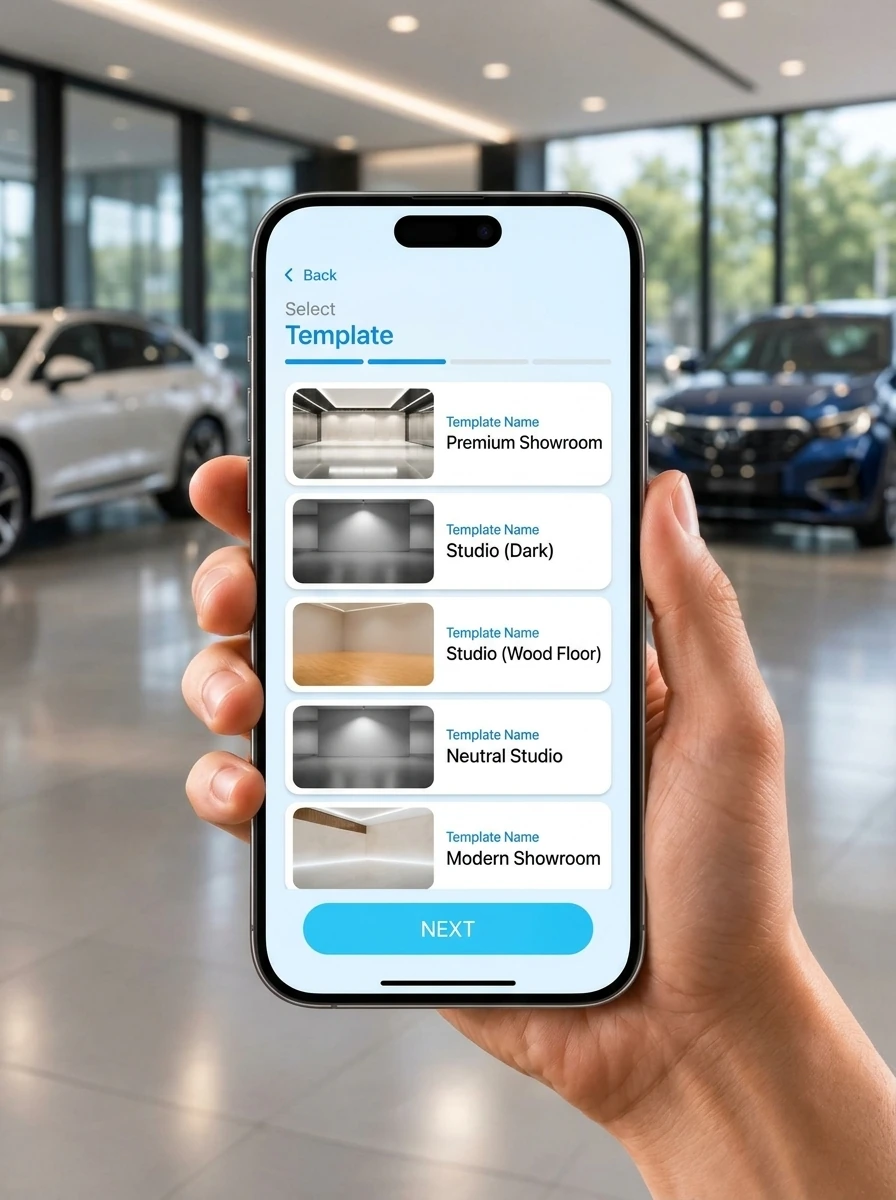
-
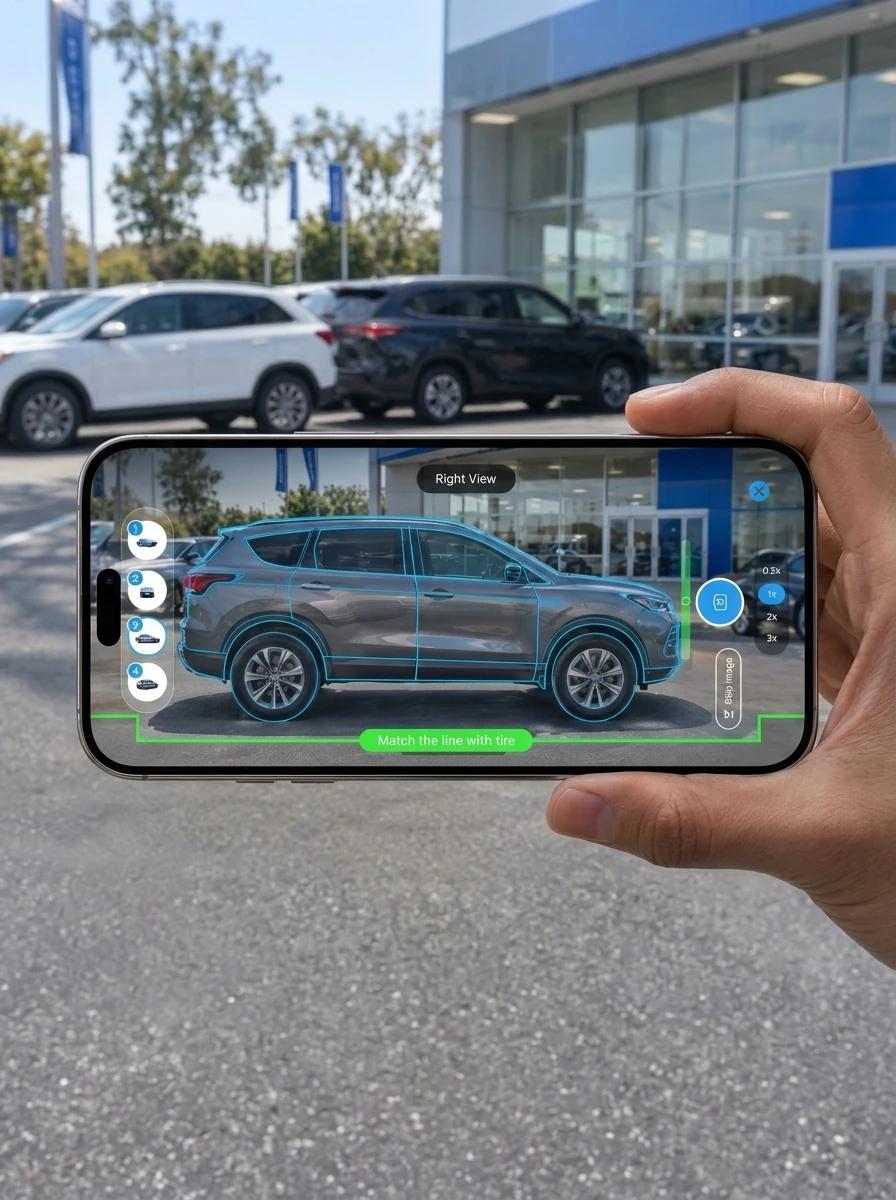
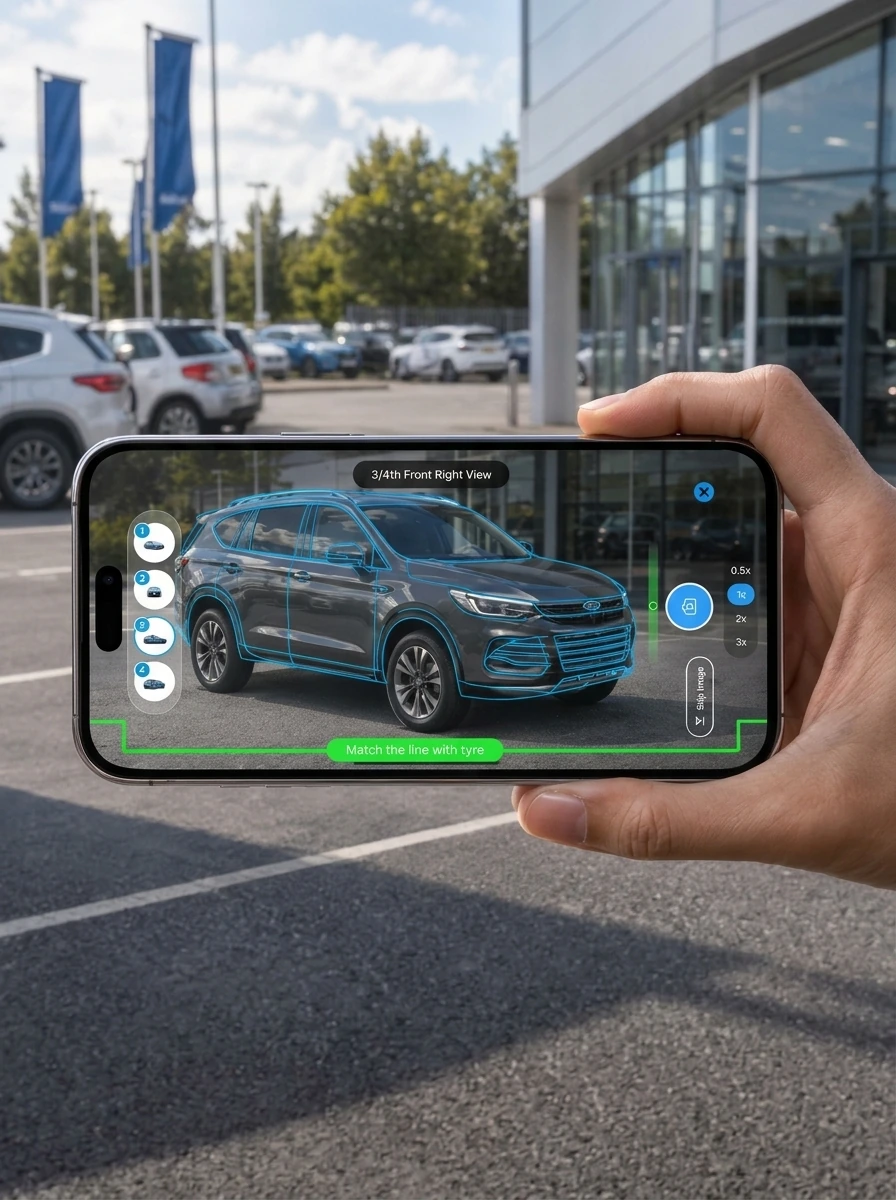
Capture frame by frame.
Match the vehicle to the on-screen outline. Guided frames help your team repeat the same angles across your inventory.
-
Get the finished photos.
Review the delivered exterior, detail, and interior shots as one set. Download the photos or send them to your connected publishing workflow.
Explore delivery options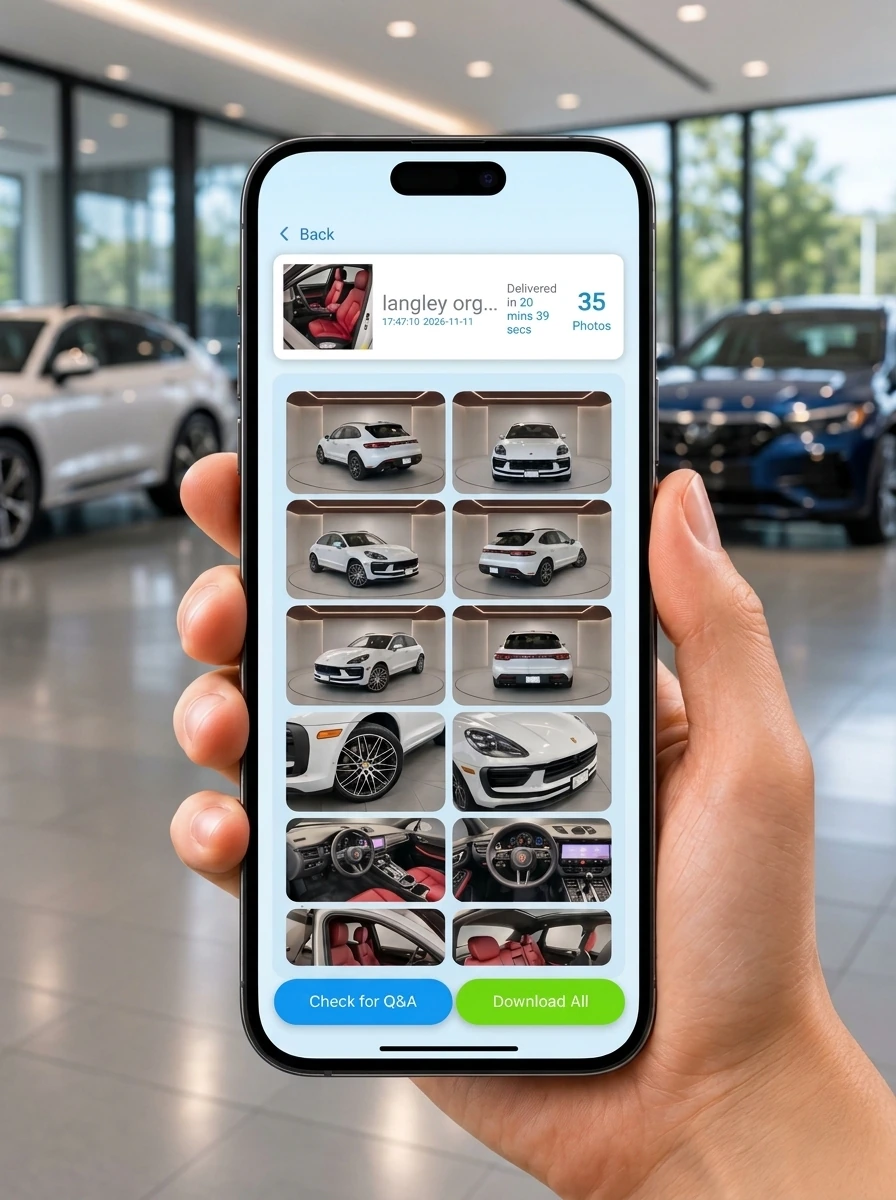
Walk through your setup.
Tell us how your team captures photos and where you publish them today.